Android · iOS · Web — live today
Trichora, inside your app.
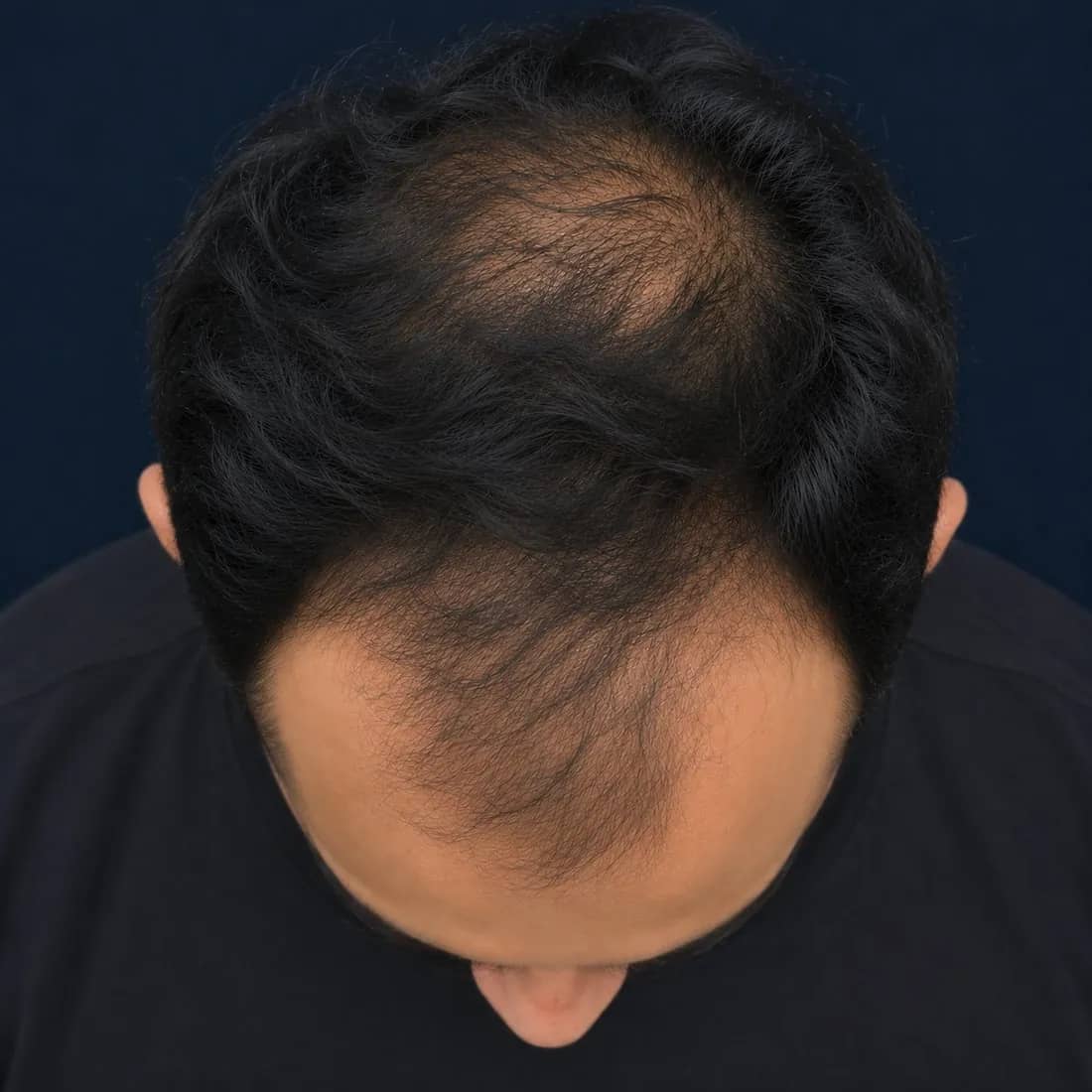
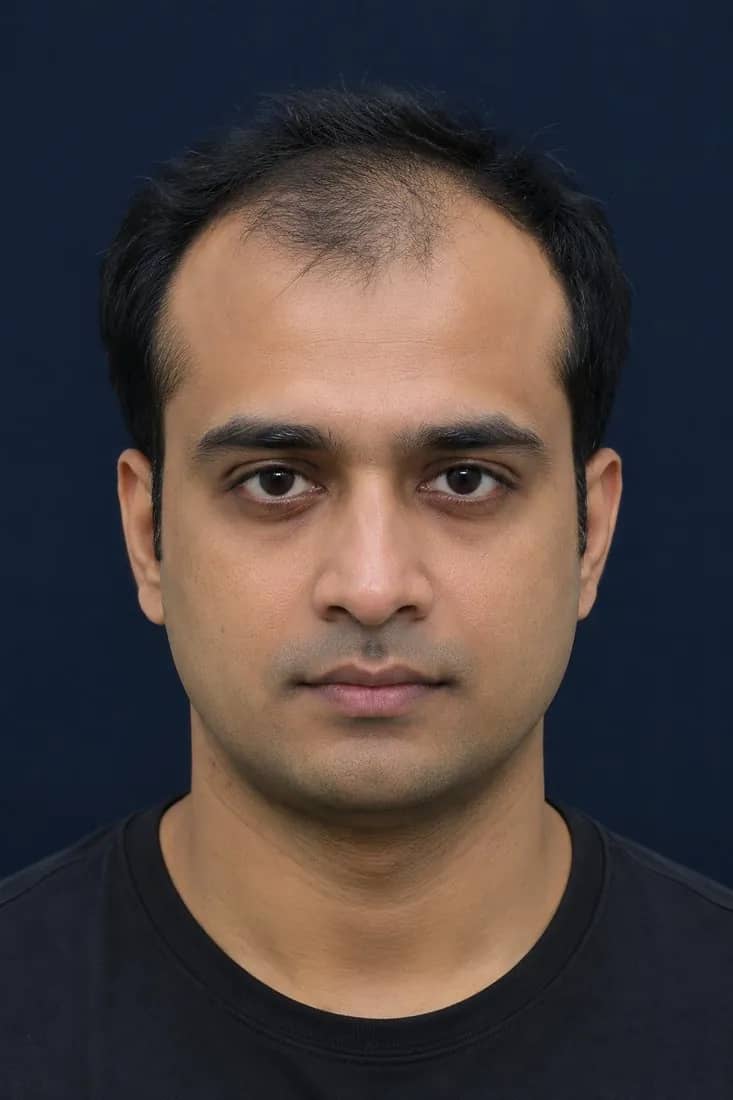
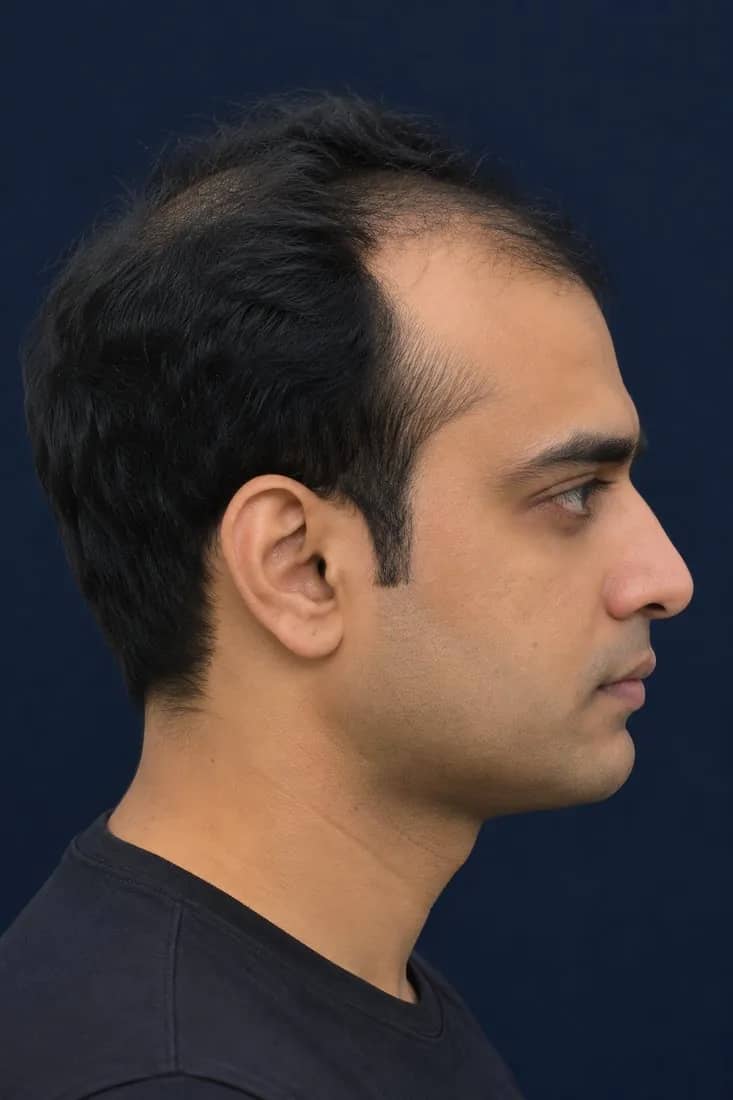
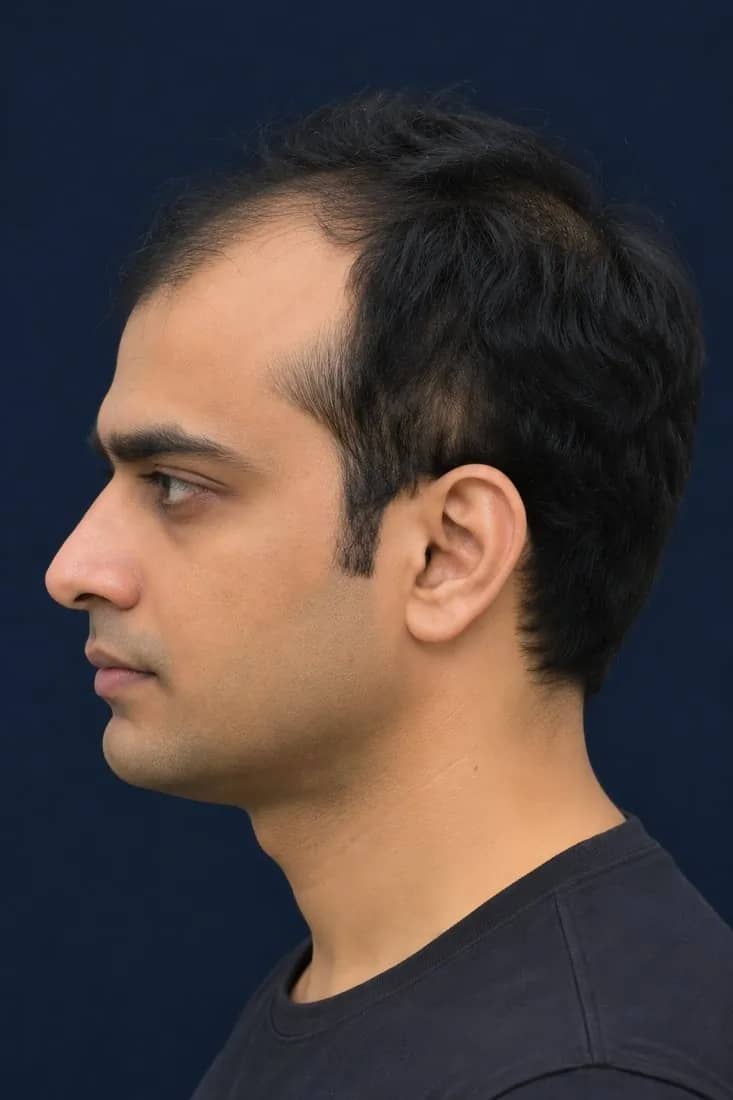
Guided 5-view capture, a short health questionnaire and AI hair & scalp analysis — then a doctor-approved prescription on WhatsApp, in minutes. Live on Android, iOS and web today. Use our ready apps under your clinic's brand, add the SDK to the app you already have, or let us build yours.
- AndroidApp + SDK
- iOSApp + SDK
- WebApp + SDK
- Your appYour login, navigation and brand around it
- Trichora SDKGuided capture and quality checks inside it
- Trichora APIGrade and zone thinning % in seconds
Four ways to ship it
Pick how Trichora reaches your patients.
Every option runs on the same live engine — the same capture standard, the same vision model, the same doctor review and e-prescription. Only the surface changes.
- A · Ready apps
Our apps, under your brand
Trichora's Android, iOS and web apps with your clinic's name, logo and colours, plus the web admin panel for patients, scans, doctor approvals, prescriptions and WhatsApp.
- No development needed
- Admin panel included
Clinic onboarding: about a weekTour the platform - B · SDK
SDK inside your existing app
Add guided capture, quality checks and branded results to the Android, iOS or web app your patients already use. They never leave your product.
- Your login, booking and payments stay yours
- Results also arrive via API and webhooks
Typically 3–6 weeks to go liveSee it inside an app - C · Custom build
A custom app, built for you
We design and build your own patient app, doctor tools and admin panel on the Trichora engine — the way the system a clinic business runs on every day was built.
- Your product, your roadmap
- Scoped with you in discovery
Timeline set in discoveryHow custom builds work - D · API only
API and webhooks
Bring your own capture flow. Send five standard views; plus the questionnaire answers; receive the grade, zone thinning %, contours, prescription status and a report link as structured data.
- REST + JSON
- Webhooks for every status change
API sandbox the same dayAPI overview
How it works inside your app
From a button in your app to a doctor-signed prescription on WhatsApp — in minutes.
Pick a platform and watch one patient go end to end. Everything with your logo on it is your app; everything in between is the Trichora SDK.
■ Your app · ■ Trichora SDK inside it
Step 1 of 9
An entry point in your app
A “Check my scalp” card sits wherever you place it — the home screen, after a booking, or inside a follow-up reminder.
Step 1 of 9
Who does what
The SDK handles the scan. Your app keeps everything else.
A clear line between the two keeps integration small: you hand the SDK a patient reference, it hands back a result.
The Trichora SDK handles
- Capture guidanceFive standard views with an on-screen alignment guide and plain-language prompts.
- Health questionnaire10–15 short questions after the photos, shown to the doctor next to them.
- Quality gateLighting, blur, framing and angle checked live, before a photo is accepted.
- Consent & secure uploadConsent recorded with each scan; images encrypted in transit and at rest, stored in India (Mumbai region). Model-improvement use stays a separate opt-in.
- Result & report componentsGrade, zone thinning %, contours and the report view, ready to show.
- Theming to your brandYour colours, fonts, logo and wording — no Trichora branding required.
Your app keeps
- Login & patient identityYou pass a patient reference; your accounts stay yours.
- Booking & appointmentsSchedule scans and follow-ups in your own flow.
- PaymentsCharge for consults, plans or packages however you do today.
- Your UI & navigationWhere the scan starts, what happens after — your product decisions.
Prescription drafting (your clinic’s protocol), doctor review and e-sign run in the Trichora doctor queue on the web admin panel, on your clinic’s letterhead — then WhatsApp delivers the report, prescription and order link.
Integration path
Five steps from agreement to live patients.
Your team adds the SDK; we stay alongside from sandbox to launch.
- 1
Partner agreement & sandbox keys
Sign the partner agreement. You get sandbox keys and SDK access, shared privately with your team.
API sandbox the same day - 2
Add the SDK to your project
Add it to your Android, iOS or web project and place the entry point where it fits your patient journey.
- 3
Theme it & configure pathways
Apply your colours, fonts and wording. Set up your clinic’s treatment protocol, report template, letterhead and order page.
- 4
Test with sandbox patients
Run full scans end to end with sample patients, check webhooks into your systems, and walk through doctor sign-off.
- 5
Go live
Switch to live keys and roll out to one branch or all of them, with our team on hand during rollout.
Typically 3–6 weeks from start
API & webhooks
One REST API behind every app and SDK.
Use it alongside the SDK to sync results into your systems, or on its own with your own capture flow.
- Your appAndroid · iOS · Web
- Trichora SDKCapture · quality · consent
- Trichora APIAnalysis · reports · status
- Your systemsEMR / HIS · CRM · WhatsApp
Endpoints · illustrative
- POST/v1/analysesSubmit five views + answers
- GET/v1/analyses/{id}Grade, zones, contours
- GET/v1/patients/{id}/timelineBaseline & follow-ups
- GET/v1/reports/{id}.pdfReport on your letterhead
Webhooks · illustrative
- analysis.completedResult ready
- prescription.signedDoctor approved & e-signed
- rescan.dueFollow-up reminder
REST + JSON · webhooks · per-clinic keys
{ "id": "an_7f3…", "patient_ref": "TR-2041", "grade": { "scale": "norwood", "value": "3V" }, "zones": { "frontal": { "thinning_pct": 50, "contour": "…" }, "mid_scalp": { "thinning_pct": 25, "contour": "…" }, "crown": { "thinning_pct": 75, "contour": "…" }, "temporal": { "thinning_pct": 25, "recession": true }, "occipital": { "thinning_pct": 0 } }, "prescription": { "id": "rx_8k2…", "status": "pending_doctor_review" }, "report_url": "https://…/r/TR-2041"}How to read the numbers
- Thinning % is the share of scalp visible through the hair in that zone: frontal 50 means half the scalp in the frontal zone shows through.
- The grade is Norwood–Hamilton 1–7 for male pattern or Ludwig I–III for female pattern.
- There is no overall score — by design. Doctors read zones and grade, not a single number.
Scalp visible in the zone
- Sandbox the same dayTest keys and sample patients
- Stored in IndiaMumbai region · encrypted at rest
- WebhooksEvery status change, pushed to you
- White-labelReports and links in your brand
Custom app build
Want your own product? We build it on the Trichora engine.
For groups that want an app of their own rather than a subscription: we design, build and run it with you — capture, AI analysis, doctor review and WhatsApp included from day one.
2clinics live on the Trichora engine today
This is not a concept. A clinic business already runs its patients, scans, doctor approvals, prescriptions and WhatsApp follow-ups on a system we built — every day.
What we build
- Patient appAndroid and iOS, in your brand
- Web appFor patients and front-desk staff
- Doctor app & panelReview, edit and sign prescriptions
- Admin panelPatients, scans, catalogue, staff, branches
- WhatsApp flowsReports, prescriptions, order links, reminders
- Your brandingName, colours, letterhead, domain
How an engagement runs
- 01DiscoveryYour patient journey, pathways, branches and systems. Scope and plan agreed together.
- 02DesignScreens for patients, staff and doctors, in your brand.
- 03BuildApps and panel on the live Trichora engine, with regular reviews.
- 04LaunchStore submission, staff onboarding and a first-branch rollout.
- 05SupportWe keep it running and improving after launch.
FAQ for tech teams
Questions product and engineering teams ask.
Which platforms are supported?
Android, iOS and web — both as Trichora’s own apps under your brand and as SDKs you add to your existing Android, iOS or web project. A REST API with webhooks sits behind all of them.
How do we get access to the SDK?
SDKs are shared privately with partners after a partner agreement, together with sandbox keys and integration documentation. The API sandbox is available the same day.
Can it be fully white-labelled?
Yes. Capture screens, results, reports, links and WhatsApp messages carry your clinic’s name, colours and letterhead. Patients don’t need to see the Trichora name.
What happens on a poor network?
Capture and the live quality checks run on the device, so patients can complete the five views and only good photos are uploaded. The upload itself needs a connection; the analysis runs on our servers — grade and zones in seconds, the report in under 60 seconds once the images arrive.
Where is patient data stored?
Patient records, images and reports are stored in India (Mumbai region), encrypted in transit and at rest, with role-based access. WhatsApp delivery goes through the official WhatsApp Business Platform, with the patient’s consent.
Are patient images used to train the model?
Not without a separate opt-in. Consent for analysis and doctor review is captured in the app; consent for model improvement is asked for separately and is optional.
Who signs the prescription?
A registered medical practitioner. Your clinic’s own treatment protocol is applied to the report and the questionnaire answers to draft it; the doctor reviews, edits, approves and e-signs it — about 2 minutes — and the prescription carries the doctor’s name, qualification and registration number, in line with India’s Telemedicine Practice Guidelines (2020).
How does the patient order the treatment?
The WhatsApp message with the signed prescription carries an order link. It opens the clinic’s own order page on the web — there is no checkout inside WhatsApp — and a licensed pharmacy partner dispenses against the signed prescription and delivers to the patient’s door.
How long does it take?
For the patient: minutes. Capture takes about 90 seconds, the grade and zones take seconds, the clinic report is ready in under 60 seconds and doctor review takes about 2 minutes. Separately, clinic onboarding on the ready apps takes about a week; an SDK integration typically goes live in 3–6 weeks.
Get connected
Put Trichora in front of your patients.
Tell us what you run today — an app, a website, a chain of clinics — and we’ll suggest the quickest path: ready apps, SDK, custom build or API.